
Support & Ticket System
The Support & Ticket module empowers users to communicate issues or feedback directly to the support team in an organized and trackable manner. From submitting problems to receiving resolutions and leaving comments, it ensures a transparent and responsive support process that helps teams stay informed and supported.
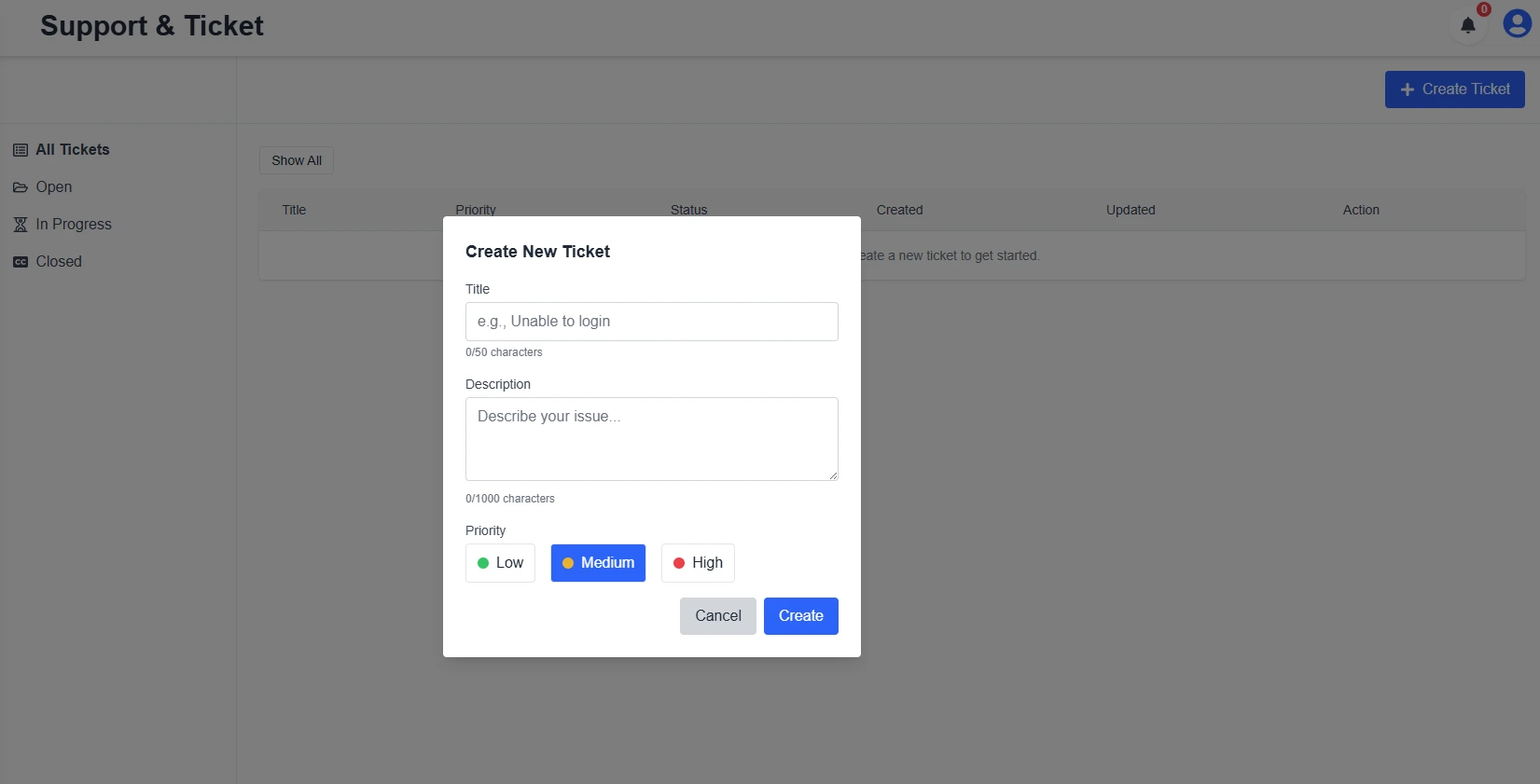
Submit a Support Ticket
The Standard Support & Ticket system allows users to report issues, suggest improvements, or request help directly within the platform. Simply click on 'Create Ticket', provide a title, detailed description, and assign a priority level (Low, Medium, High). Once submitted, your ticket will be tracked in the system, and our support team will respond promptly through the comment thread. You'll receive real-time updates and can continue the conversation within the panel.
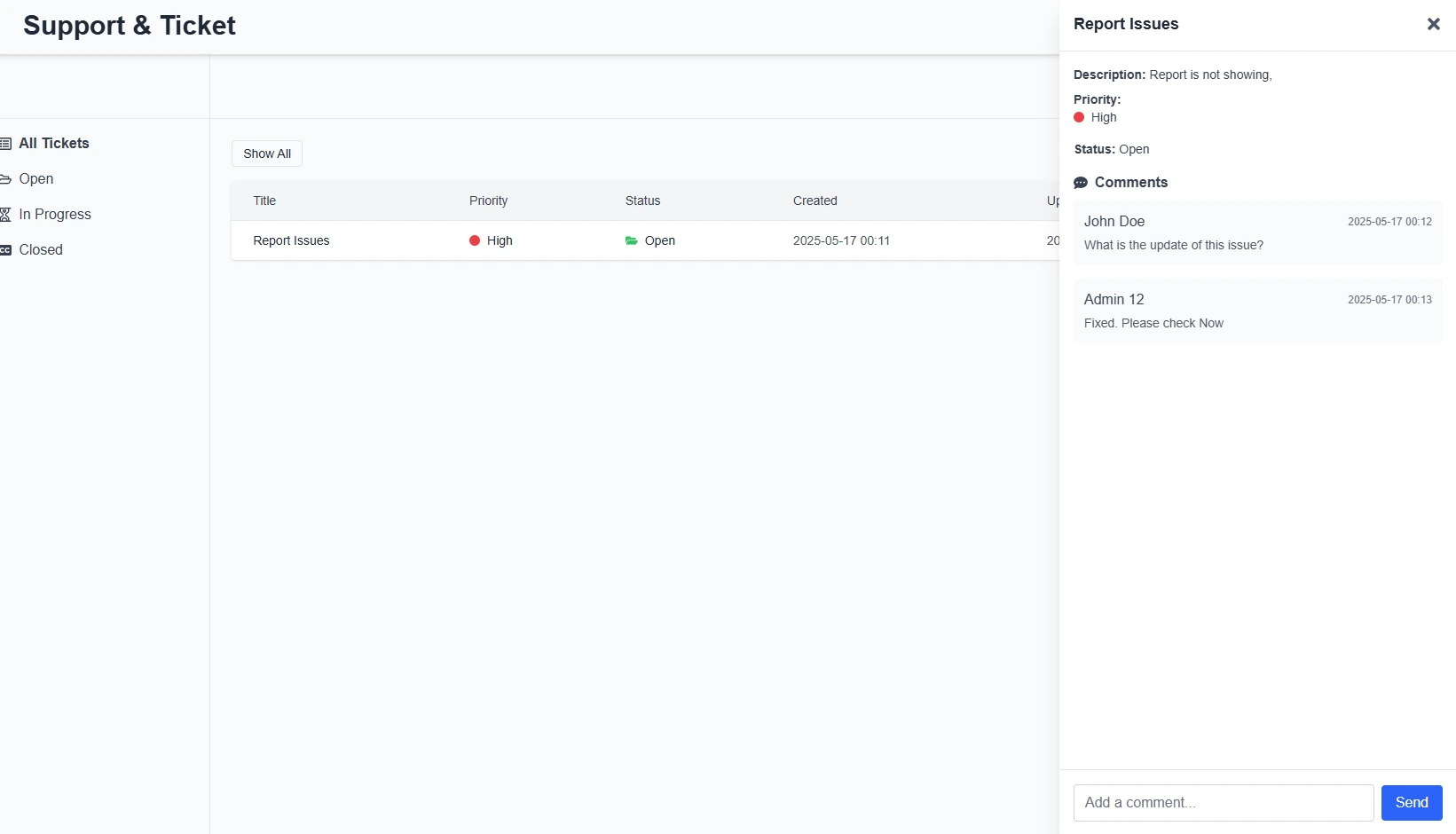
Track Ticket Status and Comments
Once submitted, your tickets will appear under categorized tabs like Open, In Progress, and Closed. Each ticket displays key details including priority, status, and creation date. You can also see a threaded comment history, where admins and team members can collaborate on resolving issues. This feature promotes transparency and ensures nothing slips through the cracks.

